
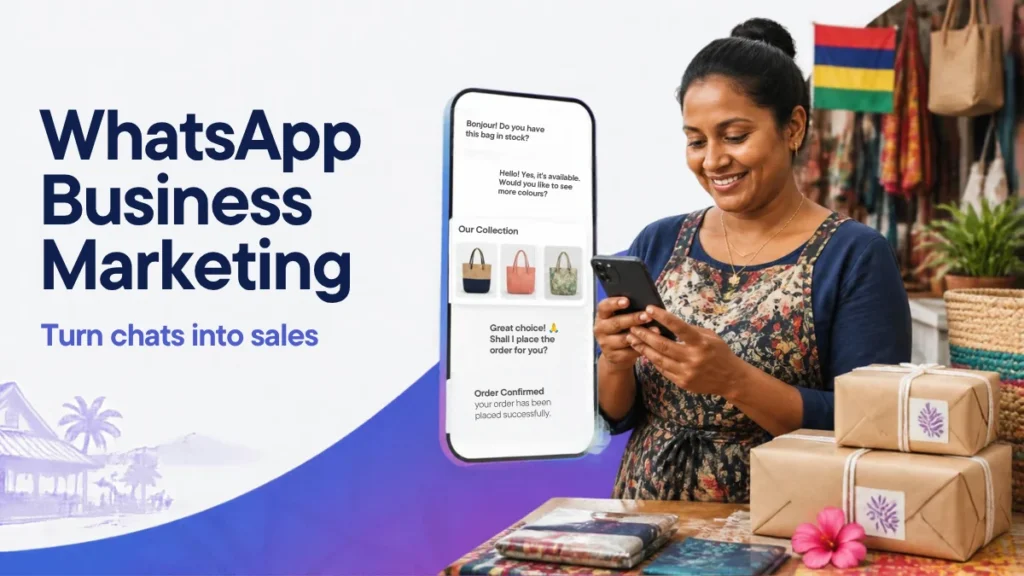
Here’s a question I ask every Mauritian business owner I work with: where do your sales actually close?
Almost every time, the answer is the same. Not on the website. Not in the shop. On WhatsApp.
In my article on the digitalised bazaar, I showed how sellers take buyers from a TikTok live straight into WhatsApp to close the deal by hand. It works. But it’s also chaos: missed messages, forgotten follow-ups and no idea which post or ad brought in the sale.
That’s where WhatsApp Business marketing done properly changes things. Same chats, same customers, but with structure, automation and numbers you can trust. Here’s how to set it up, step by step.
Key takeaways
- The WhatsApp Business app is free and built for small businesses. The WhatsApp Business Platform is for medium and large businesses that need scale.
- A complete profile, a tidy catalogue, quick replies and labels turn a messy inbox into a sales pipeline.
- Ads that click to WhatsApp on Facebook and Instagram send people straight into a chat with you.
- You need clear opt-in before sending marketing messages, and you must honour every opt-out.
- Track every chat from first message to sale, or you’ll never know which marketing pays.
WhatsApp Business app vs WhatsApp Business Platform: which do you need?
The WhatsApp Business app
According to the official WhatsApp for Business FAQ, the app “is for small businesses to communicate with customers from a single device.” It’s free to use, with limited customisation and integration with other tools.
If you’re a boutique, a caterer or a live seller handling your own chats, start here. No technical setup needed.
The WhatsApp Business Platform (API)
The same FAQ says the Platform “enables medium and large businesses to chat with customers at scale through programmatic access to WhatsApp.” You either sign up directly as a developer or work with an approved Business Solution Provider, who may charge for their own services.
My rule of thumb: if one or two people answer every chat, use the app. If you need several agents, automated flows, order updates from your systems or proper conversion tracking, move to the Platform.
It doesn’t have to be all or nothing. Meta’s coexistence documentation explains that app users can connect their existing number to the Cloud API through a partner and keep chatting in the app. Some features, such as broadcast lists, become read-only, so check the details first.
Set up WhatsApp Business so it sells for you
Most businesses add a logo and stop there. Here’s what I recommend instead.
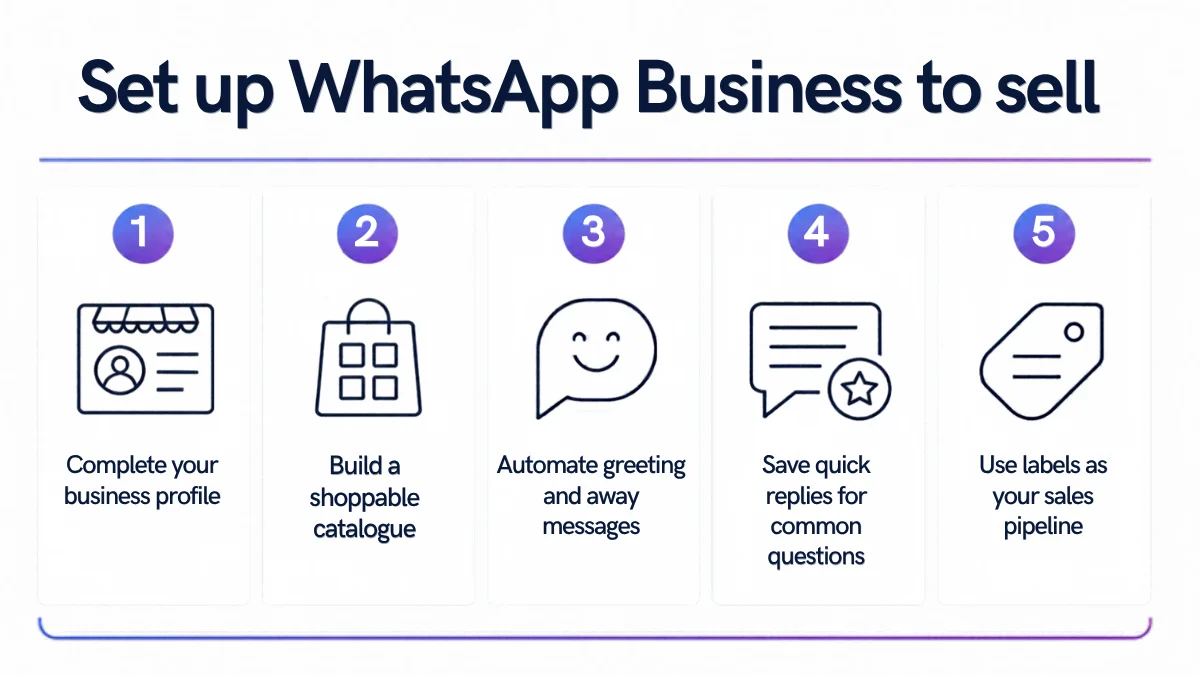
1. Complete your business profile
WhatsApp calls the business profile a “virtual storefront” for your logo, description, hours and website (WhatsApp Business app features).
Fill in every field: what you sell, where you deliver and how people can pay.
2. Build a catalogue people can shop
The catalogue is a mobile storefront inside WhatsApp. You can group items into collections, share catalogue links on WhatsApp, Facebook and Instagram, and let customers send you a cart in a single message (WhatsApp).
WhatsApp’s own guidance is to give each item a clear name, consistent photos, a short description, a price and details such as sizes or lead times.
For live sellers, that means one link instead of typing the same price over and over.
3. Automate greeting and away messages
A greeting message welcomes new customers when they first message you. An away message replies automatically outside your business hours (WhatsApp).
Use the greeting to share your catalogue link. Use the away message to say when you’ll be back.
4. Save quick replies for common questions
Quick replies are saved shortcuts you send in a few taps. WhatsApp suggests them for pricing, payment methods, pickup details, return policies and out-of-stock updates (WhatsApp).
Their recommended structure: a personal greeting, one direct answer, a next step and an optional catalogue link. I’d add one thing. End with a question that moves the sale forward, such as “Which size would you like?”
5. Use labels as your sales pipeline
Labels let you sort and filter conversations (WhatsApp). I think they’re the most underrated feature in the app. Create labels that match your sales stages:
- New lead: asked a question, no order yet
- Quote sent: price or catalogue shared
- Awaiting payment: order agreed, not paid
- Paid: ready to deliver
- Repeat customer: bought before
Now filter “Quote sent” every evening and follow up. That one habit recovers sales most businesses never knew they lost.
Drive chats with ads that click to WhatsApp
Ads that click to WhatsApp “send people that click on your ads directly into conversations with your business in WhatsApp,” according to Meta’s developer documentation. They run on Facebook and Instagram, with image, video, carousel and slideshow formats.
When someone taps, a chat opens with a pre-filled message. You can customise it, add an automated greeting with buttons and offer up to three icebreaker questions (Meta).
Three tips from running these campaigns:
- Match the ad to the first reply. If the ad promotes a product, your greeting should show that product and its price.
- Use a different pre-filled message per campaign. “Hi, I saw the Diwali offer” tells you exactly which ad brought the chat in.
- Staff the inbox. Paying for chats you answer hours later is the fastest way to waste budget.
On the Platform, there’s a cost bonus too. If someone messages you from one of these ads and you reply within 24 hours, Meta opens a 72-hour free entry point window in which messages are free (Meta pricing documentation).
New to Meta campaigns? My guide to Facebook Ads Manager covers the basics.
WhatsApp Business marketing messages: opt-in, consent and no spam
The WhatsApp Business Messaging Policy says you may only contact people who gave you their number and agreed to receive your messages. You must also respect every request to block or opt out, whether it comes on or off WhatsApp.
What a valid opt-in looks like
According to Meta’s opt-in guidance, your opt-in must state that the person is agreeing to receive messages over WhatsApp, and it must name your business. You should also explain how to opt out of specific types of message.
You can collect opt-in on your website, in a chat, by SMS, by phone or on paper in your shop. Meta recommends separate opt-in for different types, such as order updates and promotions.
How marketing messages work on the Platform
A 24-hour customer service window opens when a customer messages you. Outside it, you can only send template messages (Meta). Templates fall into marketing, utility and authentication categories, and each must pass review before you can send it (Meta).
On pricing: since 1 July 2025, Meta charges per message, with rates that vary by message category and the recipient’s country (Meta). Replies inside an open service window are free, but marketing templates are always charged, so check the current rate card for your markets.
Broadcast without becoming spam
In the app, Business Broadcasts let you send private one-to-one messages to many people at once, with scheduling and insights, for eligible users in select countries (WhatsApp).
Whichever tool you use, the policy is blunt: people should expect your messages, and you must not “spam, or surprise people” (WhatsApp). Blocks and reports can limit how many messages you can send.
My best practice:
- Only message people who opted in, and record when and how.
- Segment by label, so repeat customers get loyalty offers and new leads get introductions.
- Send less often, but make every message worth opening.
- Offer a simple way out, such as “Reply STOP to stop offers,” and honour it immediately.
Consent is also the start of your own customer data, which is why I pair it with a zero-party data strategy.
How to measure WhatsApp Business marketing results
If you can’t connect a chat to a sale, you can’t tell which marketing works.
1. On the app: labels plus a simple log
Use your pipeline labels and keep a basic sheet: date, source, product, value and status. Ask every new lead how they found you, and use a unique pre-filled message, QR code or short link per campaign. WhatsApp lists QR codes and short links as free ways to start chats (WhatsApp).
It’s manual, but you’ll finally see which sources bring orders.
2. On the Platform: send conversions back to Meta
The Conversions API for Business Messaging lets you report events that happen in the chat, such as LeadSubmitted, QualifiedLead and Purchase, back to Meta. Each chat from a click-to-WhatsApp ad carries a click ID that ties it to the ad.
Meta also offers purchase optimisation for these ads, so the algorithm looks for buyers, not just people who say hello.
Frequently asked questions
What is WhatsApp Business marketing?
It’s using WhatsApp Business tools, from your catalogue and labels to ads that click to WhatsApp and opted-in messages, to win leads, close sales and track results from chat to sale.
Is the WhatsApp Business app free?
Yes. The app is free. The Platform has no access fee, but Meta charges per message depending on type and country, and partners may add fees.
Can I send promotional messages to anyone on WhatsApp?
No. WhatsApp’s Business Messaging Policy only allows you to message people who gave you their number and agreed to hear from you, and you must honour every opt-out.
Do ads that click to WhatsApp work with the free app?
Yes. WhatsApp lists them among the paid options for app users. For deeper tracking, you’ll need the Platform.
How do I track sales that close on WhatsApp?
On the app, label each sales stage and log every lead’s source and value. On the Platform, send purchase events to Meta with the Conversions API for Business Messaging.
The bottom line
Your customers already want to buy on WhatsApp. The question is whether you’re running it like a stall or like a business.
Good WhatsApp Business marketing comes down to three things: a setup that sells, permission you can prove and numbers you can trust. Get those right and every chat becomes a step towards a sale.
Want WhatsApp to bring you sales, not just messages?
I help businesses in Mauritius and beyond run ads that click to WhatsApp, automate replies and follow-ups, and track every chat through to the sale. Tell me about your project and let’s build it properly.
Sources
- WhatsApp: Frequently asked questions about WhatsApp for Business
- WhatsApp: Business app features
- WhatsApp: Personalised customer interactions with notes, catalogue and quick replies
- WhatsApp Business Messaging Policy
- Meta for Developers: Getting opt-in for WhatsApp
- Meta for Developers: WhatsApp Business Platform pricing
- Meta for Developers: Message templates
- Meta for Developers: Ads that click to WhatsApp
- Meta for Developers: Conversions API for Business Messaging
- Meta for Developers: Onboarding WhatsApp Business app users (coexistence)