
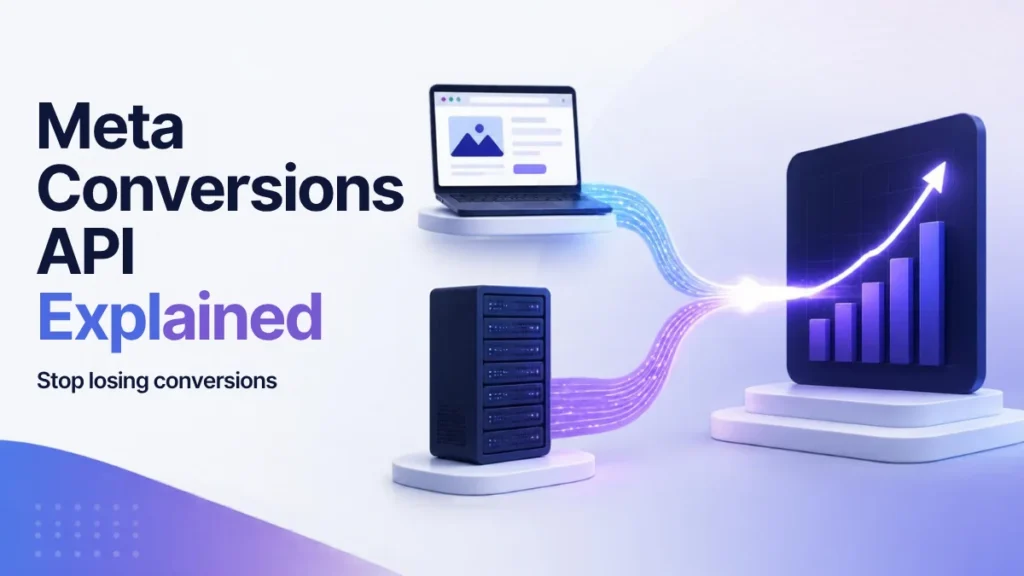
Your Meta Ads dashboard shows a handful of purchases last week. Your shop’s order list shows a lot more.
That gap isn’t a glitch. It’s what happens when you rely only on the Meta Pixel, a piece of code that runs in your visitor’s browser and can only report what that browser lets it see.
The fix Meta offers is the Meta Conversions API, often shortened to CAPI. It sends your conversion data straight from your server to Meta, so far fewer sales slip through the cracks.
I set up tracking for businesses in Mauritius and beyond, and CAPI is the single change I recommend most often to anyone spending seriously on Meta Ads.
In this guide, I’ll explain what it is, how it compares to the Pixel, the main ways to set it up, and the mistakes that quietly break it.
Key takeaways
- The Meta Conversions API sends conversion events from your server to Meta, instead of relying only on the browser.
- Meta recommends running it alongside the Pixel, sending the same events through both.
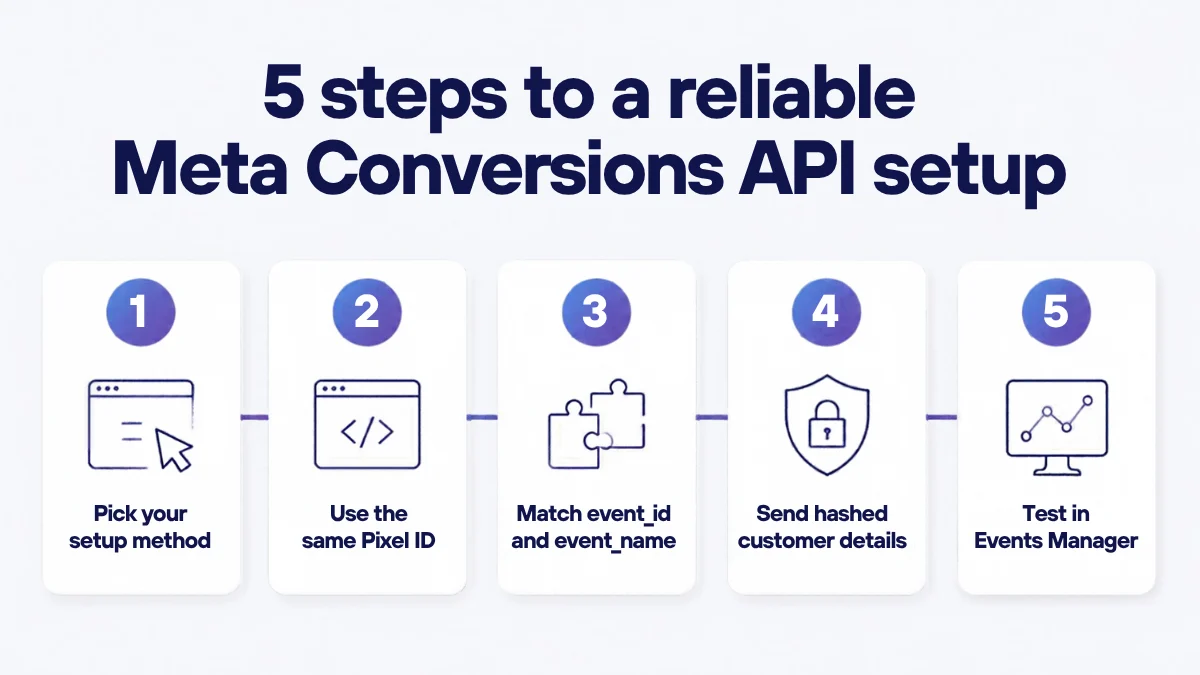
- You can set it up through a platform integration, the Conversions API Gateway, server-side Google Tag Manager or a direct API connection.
- Matching event_id and event_name on both sides stops Meta counting the same sale twice.
- Always check your setup in Test Events and keep an eye on Event Match Quality in Events Manager.
What is the Meta Conversions API?
The Meta Conversions API is a connection between your marketing data and Meta. According to Meta’s developer documentation, it lets you send events from your server, website, app or CRM so Meta can optimise ad targeting, lower your cost per result and measure outcomes.
Think of it this way. The Pixel is a reporter standing in your visitor’s browser. CAPI is a reporter sitting in your back office, reading the order book.
Both describe the same purchases and leads. They just take different roads.
Why browser-only Pixel tracking misses conversions
The Pixel depends on the browser doing its job. Increasingly, browsers don’t.
- Ad blockers can stop the Pixel script from loading at all.
- Browser privacy features can limit cookies and tracking scripts, so some sessions are never linked to an ad click.
- iOS privacy changes give people more control over tracking, which reduces what browser-side signals can capture.
- Technical hiccups happen too. Meta’s best practices guide notes that server events can recover conversions the Pixel misses because of network issues or page loading errors.
Every missed conversion hurts twice. Your reporting looks worse than reality, and Meta’s algorithm has less data to learn who your best customers are.
That second part is the one most people underestimate. If you’re investing in first-party data, CAPI is how that data actually reaches your ad campaigns.
Conversions API vs Pixel: what’s the difference?
This is the question I get asked most. The short answer: it’s not either/or.
- Where it runs: the Pixel runs in the visitor’s browser. CAPI runs on your server or a cloud server you control.
- What it can see: the Pixel sees on-page behaviour. CAPI can also send offline or delayed events, such as a sale confirmed later in your CRM.
- Exposure to blockers: the Pixel is affected by ad blockers and browser restrictions. CAPI isn’t loaded in the browser, so those tools don’t block it in the same way.
- Setup effort: the Pixel is a snippet of code. CAPI needs a server-side connection, though no-code options exist.
Meta’s best practices recommend a “redundant” setup: use CAPI alongside the Pixel and send the same events through both. Meta’s getting started guide also says to use the same Pixel ID for browser and server events.
Meta Conversions API setup: your four main options
The best option depends on your platform, budget and technical resources.
1. Partner integrations (WordPress, WooCommerce, Shopify)
If your site runs on a popular platform, start here. Meta works with partner platforms that offer built-in Conversions API connections, and the major e-commerce platforms and WordPress plugins provide ways to switch it on from their settings.
It’s the fastest route for most small and medium businesses. The trade-off is less control over exactly which data is sent.
2. Conversions API Gateway
The Conversions API Gateway is a self-serve option in Events Manager aimed at marketers with some technical skill but no dedicated developers. Meta says no coding is required.
You host it in a cloud account you own, on AWS or Google Cloud, and pay only for those cloud resources or partner fees. It supports multiple domains and Pixels, and it generates the event_id deduplication key for you automatically.
3. Server-side Google Tag Manager
If you already use Google Tag Manager, Meta publishes a Conversions API Tag for server containers, available in the GTM Template Gallery.
This route needs GA4, a web container, a server container and a tagging server. It’s more work, but it gives you fine control and fits neatly into an existing analytics stack.
4. Direct API integration
Here your developers connect your own server straight to Meta’s endpoint. You generate an access token in Events Manager, as described in Meta’s getting started guide, and send events in code.
It’s the most flexible option and the right choice for custom platforms or CRMs. A few rules from Meta’s API documentation are worth knowing: you can send up to 1,000 events per request, an event_time can be no more than 7 days old, and one invalid event causes the whole batch to be rejected.
Event deduplication: event_id and event_name
Here’s the catch with a redundant setup. If the Pixel and CAPI both report the same purchase, Meta could count it twice.
Deduplication prevents that. According to Meta’s deduplication guide:
- The Pixel’s eventID must match the server’s event_id.
- The Pixel’s event name must match the server’s event_name, for example Purchase on both sides.
- Matching events are deduplicated when they arrive within 48 hours of the first event with that event_id.
Meta also describes an alternative using fbp or external_id, but notes it generally only works when the browser event arrives first. That’s why I always use a unique event_id per event, generated once and passed to both the Pixel and the server.
Event match quality and customer information parameters
Sending an event isn’t enough. Meta needs to match it to a real account before it can use it for targeting and attribution.
Meta’s best practices explain that each server event gets an Event Match Quality score out of 10 in Events Manager, and only matched events can be used for attribution and delivery optimisation. Meta’s verification guide says it generally recommends a score of 6.0 or higher.
You improve the score with customer information parameters:
- Hash these with SHA256: email, phone, first name, last name, date of birth, gender, city, state, postcode and country.
- Don’t hash these: client IP address, client user agent, fbc and fbp.
- Normalise before hashing: for example, trim and lowercase emails, and include the country code in phone numbers.
Meta lists email, IP address, first and last name, and phone as high-quality parameters. It also asks you to send the same customer information on the browser and server sides.
This is exactly where good data habits pay off. Businesses with rich, consented customer records, such as banks, are well placed here, a topic I cover in my article on how banks should use Meta Custom Audiences.
How to test with Test Events in Events Manager
Never assume it works. Test it.
- Get a test code. In Events Manager, open your Pixel and go to Test Events to generate a test_event_code, as described in Meta’s API documentation.
- Send test events. Add the code to your server requests, or set it in your partner integration, then complete a test purchase or lead.
- Check both channels. Confirm the event appears from both the browser and the server, with matching names.
- Remove the code. Meta says to take the test code out of production payloads once you’re done.
- Review the Overview. Meta’s verification guide says events should appear within 20 minutes. Check the Event Deduplication tab and your match quality score.
Common Meta Conversions API mistakes
These are the problems I see most often when I audit tracking:
- No deduplication. Pixel and CAPI both fire, but without a shared event_id. Results look too good to be true, because they are.
- Mismatched event names. “Purchase” on one side and “purchase_complete” on the other won’t deduplicate.
- Unhashed or badly formatted data. Meta’s parameter documentation says unhashed contact information isn’t accepted, and messy formatting lowers your match rate.
- Sending events late. Meta’s best practices recommend sending events in real time or close to it, and requests with events older than 7 days are rejected.
- Leaving the test code live. Remove test_event_code after launch.
- Ignoring consent. Server-side tracking still needs to respect your privacy policy and local data protection law. An internal data and AI policy helps keep everyone aligned.
Frequently asked questions
What is the Meta Conversions API?
The Meta Conversions API is a server-side connection that sends conversion events, such as purchases and leads, from your server, website, app or CRM directly to Meta. It helps Meta measure results and optimise ad delivery, even when browser tracking is limited.
Does the Conversions API replace the Meta Pixel?
No. Meta recommends using both together and sending the same events through each, with matching event_id and event_name values so duplicates are removed.
What is the Conversions API Gateway?
It’s a no-code option in Events Manager that you host in your own AWS or Google Cloud account. It sends web events through both the Pixel and the Conversions API and creates the deduplication key automatically.
What is a good Event Match Quality score?
Meta scores Event Match Quality out of 10 and generally recommends 6.0 or higher. Sending more hashed customer details, such as email and phone, usually improves it.
Do I need a developer to set up CAPI?
Not always. Partner integrations and the Conversions API Gateway need little or no code. Server-side Google Tag Manager and direct API integrations usually need technical help.
The bottom line
The Pixel shows you part of the story. The Meta Conversions API fills in the rest.
Run both, deduplicate properly, send clean hashed customer data and test before you trust a single number. Get those basics right and your ads finally learn from what really happened, not just what the browser saw.
Want tracking you can trust?
I set up and audit Meta Pixel and Conversions API tracking for businesses that want accurate data behind every ad decision. Tell me about your project and let’s find the conversions you’re missing.
Sources
- Meta for Developers: Conversions API
- Meta for Developers: Conversions API best practices
- Meta for Developers: Get started with the Conversions API
- Meta for Developers: Using the Conversions API
- Meta for Developers: Deduplicate Pixel and server events
- Meta for Developers: Customer information parameters
- Meta for Developers: Verifying your setup
- Meta for Developers: Conversions API Gateway
- Meta for Developers: Conversions API with server-side Google Tag Manager